
How to Clean a Brother P-touch Label Maker with TZe Cleaning Tape
Posted by Bryan L on 08/07/2026
How to Clean a Brother P-touch Label Maker with TZe Cleaning Tape
If your Brother P-touch label maker isn’t printing as cleanly as it used to, don’t assume there’s something wrong with the printer just yet. White lines, faded areas, streaks, or missing portions of letters can sometimes be caused by a dirty print head.
Like any printer, a P-touch can collect dust, adhesive residue, and other debris over time. A simple cleaning may be all it takes to get your labels looking sharp again.
One of the easiest ways to do that is with a Brother P-touch cleaning tape. Cleaning cassettes install just like a regular TZe tape cartridge, but instead of printing a label, they’re designed to clean the print head as they pass through the machine.
In this guide, we’ll explain how TZe cleaning tapes work, how to use one, which size you need, and when cleaning your P-touch may help solve print-quality problems.
Signs Your Brother P-touch Label Maker May Need Cleaning
P-touch label makers use a thermal print head to transfer the image onto the label tape. For the printer to produce crisp text and graphics, the print head needs to make consistent contact across the tape.
Over time, dust or residue can interfere with that process. Some common signs that your P-touch may benefit from cleaning include:
- White lines running through printed text
- Missing portions of letters or graphics
- Faded areas on otherwise dark printing
- Uneven print quality across the label
- Streaks or inconsistent printing
- Print quality that has gradually gotten worse
Of course, not every printing problem is caused by a dirty print head. A damaged tape cassette, low batteries, an incorrect power adapter, or a worn print head can also cause problems. But cleaning is a quick and inexpensive troubleshooting step that's worth trying before assuming the printer needs repair or replacement.
What Is a Brother TZe Cleaning Tape?
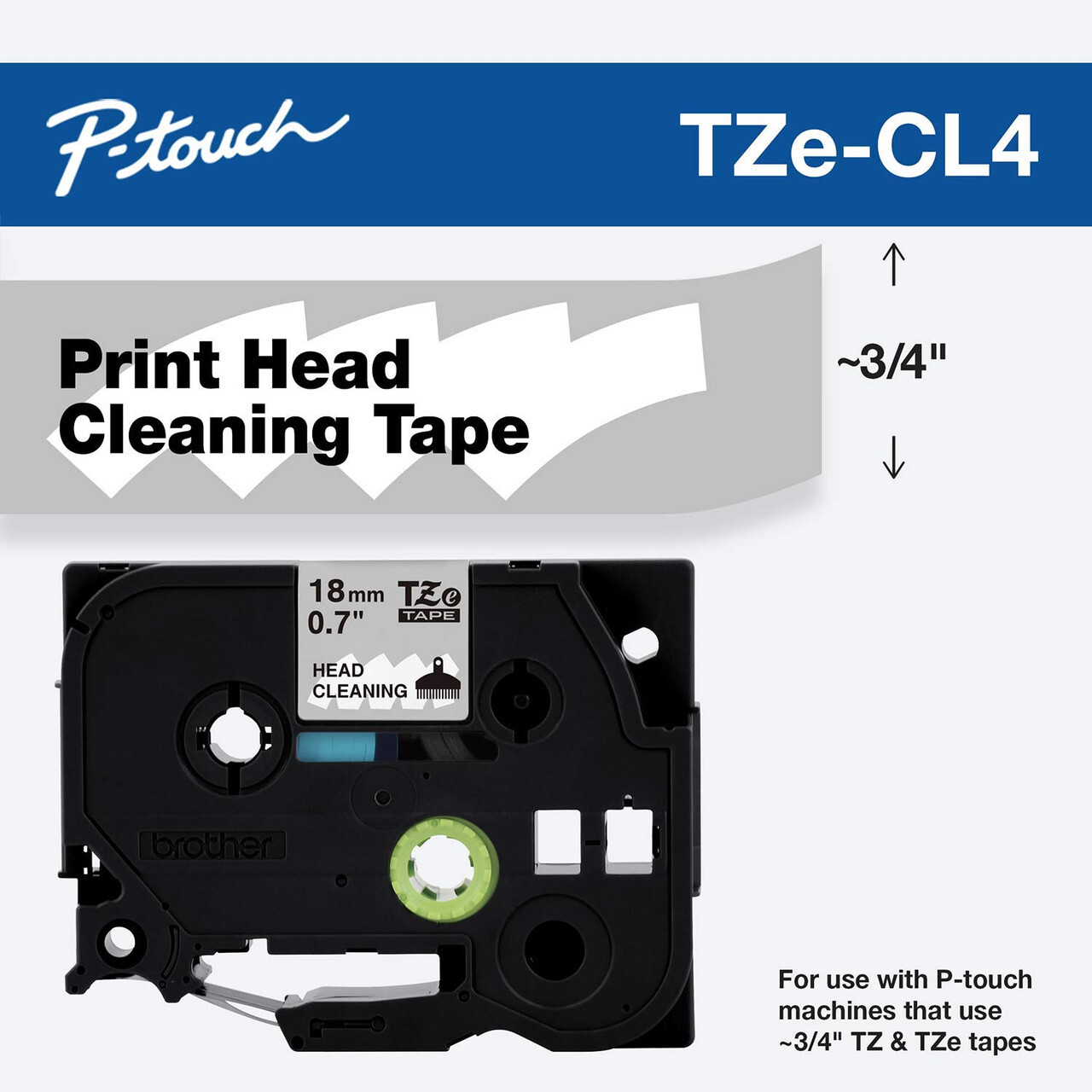 A TZe cleaning tape looks similar to a regular Brother P-touch tape cassette and installs in the same cassette compartment. The big difference is that it isn't designed to make labels.
Instead, the cleaning material passes across the printer's print head and helps remove dust and debris that can affect print quality.
This makes a cleaning cassette particularly convenient because you don't need to disassemble your P-touch or reach inside the printer to clean the print head manually. Install the cassette, run it through the machine, and remove it when you're finished.
Cleaning cassettes can also be used more than once, so it's a handy accessory to keep around if you use your P-touch regularly.
What Size P-touch Cleaning Tape Do I Need?
This is where things can get a little confusing. Brother P-touch label makers come in many different sizes, and not every printer accepts the same width of TZe tape.
The cleaning cassette needs to be a width that your P-touch can accept.
Brother offers genuine TZe cleaning tapes in 3/4" (18mm) and 1-1/2" (36mm) widths. We also offer a 1/2" (12mm) compatible P-touch cleaning tape for many smaller P-touch models that don't accept the wider cleaning cassettes.
1/2" (12mm) Compatible P-touch Cleaning Tape LMe-CL3
Many compact and handheld P-touch label makers don't accept 3/4" tape. That creates a problem if you're looking for an easy cassette-style way to clean one of these smaller machines.
Our 1/2" compatible P-touch cleaning cassette is designed to provide a cleaning option for many of these smaller TZe-compatible P-touch label makers.
If your printer accepts 1/2" TZe tape but does not accept 3/4" tape, this is generally the cleaning-tape size you'll want to look at first.
3/4" (18mm) Genuine Brother TZe Cleaning Tape TZe-Cl4
For P-touch label makers that accept 3/4" (18mm) TZe tape, Brother's genuine 18mm cleaning cassette provides a simple way to clean the print head using a cassette designed specifically for compatible Brother P-touch machines.
This size works with a wide range of desktop and professional P-touch label makers that support 18mm or wider TZe tapes.
1-1/2" (36mm) Genuine Brother TZe Cleaning Tape TZe-CL6
Brother also makes a 1-1/2" (36mm) TZe cleaning cassette for larger professional P-touch label makers capable of printing on 36mm tape.
These wider-format machines have a larger print area, so the 36mm cleaning tape is designed to clean across the wider print head.
Not sure which one you need? Check the maximum tape width listed for your P-touch model or use our P-touch tape compatibility resources to find the tape sizes your printer accepts.
How to Use a Brother P-touch Cleaning Tape
Using a cleaning cassette is intentionally simple. In most cases, the process takes only a minute or two.
- Turn off your Brother P-touch label maker.
- Open the tape cassette compartment.
- Remove the regular TZe tape cassette currently installed in the printer.
- Insert the appropriate cleaning cassette and make sure it is seated correctly.
- Close the cassette compartment.
- Turn the P-touch back on.
- Use the printer's feed function to advance the cleaning tape through the machine.
- Repeat the feed process if additional cleaning is needed.
- Remove the cleaning cassette and reinstall your regular TZe label tape.
- Print a test label and check the print quality.
The exact feed procedure can vary by P-touch model, so it's always a good idea to refer to your printer's manual if you're unsure which button or menu option controls the tape feed.
Why Does My Brother P-touch Print White Lines?
One of the most common reasons people start looking for a Brother P-touch print head cleaning solution is a white line running horizontally through their labels.
The thermal print head contains many tiny heating elements that create the printed image. If part of the print head isn't making proper contact or has debris on it, a portion of the label may not print correctly.
Cleaning the print head can often help when the problem is caused by dust or residue.
There's an important distinction, though: if the white line appears in exactly the same place on every label and cleaning doesn't improve it, the issue could be a damaged portion of the print head rather than dirt. In that case, repeatedly cleaning the printer isn't likely to solve the problem.
What Else Can Cause Poor P-touch Print Quality?
If cleaning doesn't solve the problem, there are a few other things worth checking before giving up on your label maker.
Check the Tape Cassette
Remove the cassette and reinstall it, making sure it sits flat and securely in the compartment. If you have another TZe cassette available, try it. Testing with a second cassette is an easy way to determine whether the problem is with the printer or simply one particular tape cartridge.
Check Your Batteries or Power Supply
Weak batteries can sometimes contribute to poor or inconsistent printing. If your P-touch runs on batteries, try a fresh set.
If you're using an AC adapter, make sure you're using the correct adapter for your P-touch model.
Look for Tape or Adhesive Debris
If you've had a tape jam or a label become stuck inside the machine, check the tape path for visible pieces of label material or adhesive. Don't use sharp tools that could damage the print head or internal components.
Try a Test Print After Cleaning
After using the cleaning cassette, reinstall your normal tape and print several labels. This makes it easier to tell whether the print quality has improved.
How Often Should You Clean a Brother P-touch Label Maker?
There's no need to run a cleaning cassette through your P-touch every time you change the tape. For most users, cleaning is something you'll do occasionally or when you notice a change in print quality.
How often a printer needs cleaning depends on how it's used. A P-touch sitting on a desk and printing a few labels each week may need very little maintenance. A label maker being used throughout the day in a warehouse, shop, office, electrical room, or manufacturing environment is exposed to considerably more dust and debris.
Rather than following a strict schedule, watch the quality of your labels. If printing starts looking faded, streaky, or inconsistent, cleaning the print head is an easy first step.
Can You Reuse a P-touch Cleaning Cassette?
Yes. Unlike a regular TZe label cassette that is discarded after the tape is used up, a cleaning cassette is intended for multiple cleaning cycles.
After cleaning your P-touch, remove the cassette and store it somewhere clean and dry so it's ready the next time you need it.
That makes cleaning tape especially useful for businesses with multiple compatible P-touch label makers. Keeping a cleaning cassette with your other P-touch supplies gives you an easy troubleshooting tool whenever a printer starts producing less-than-perfect labels.
Genuine Brother vs. Compatible P-touch Cleaning Tape
We carry both genuine Brother cleaning tapes and a compatible cleaning option, depending on the size of your P-touch.
Genuine Brother TZe cleaning tapes are available in 3/4" (18mm) and 1-1/2" (36mm) sizes for P-touch machines that accept those widths.
For smaller P-touch label makers, our 1/2" (12mm) compatible cleaning tape provides an option for many printers that can't accommodate Brother's wider cleaning cassettes.
The most important thing isn't simply choosing genuine or compatible—it's choosing a cleaning cassette that fits your particular P-touch label maker.
Don't Replace Your P-touch Before You Try Cleaning It
When a label maker starts producing faded text or lines through labels, it's easy to assume the printer is wearing out. Sometimes that's the case, especially with a heavily used older machine, but sometimes the solution is much simpler.
A cleaning cassette is an inexpensive and easy troubleshooting step that can help remove the dust and residue that accumulate around the print head during normal use.
If your P-touch isn't printing like it used to, start by checking your tape cassette and power source, then give the print head a cleaning. You may find that your old P-touch still has plenty of labels left in it.
Find the Right Cleaning Tape for Your Brother P-touch
PtouchDirect carries Brother TZe cleaning tapes for larger P-touch label makers as well as a compatible 1/2" cleaning cassette for many smaller machines.
Choose the appropriate cleaning tape based on the tape widths supported by your P-touch printer:
- 1/2" (12mm) – Compatible P-touch cleaning tape for many smaller TZe label makers
- 3/4" (18mm) – Genuine Brother TZe cleaning tape for compatible 18mm and wider P-touch models
- 1-1/2" (36mm) – Genuine Brother TZe cleaning tape for compatible 36mm P-touch models
If you're unsure which cleaning cassette fits your machine, check your P-touch model's tape-width specifications or use our tape guides to find compatible supplies.
Clean print head. Crisp labels. No need to retire a perfectly good P-touch before its time.